✂️Services
Organizing services into categories
Group related services for a cleaner booking experience.
By Sagarnu Team
If you offer many services, grouping them into categories makes it easier for clients to find what they need on your booking page.
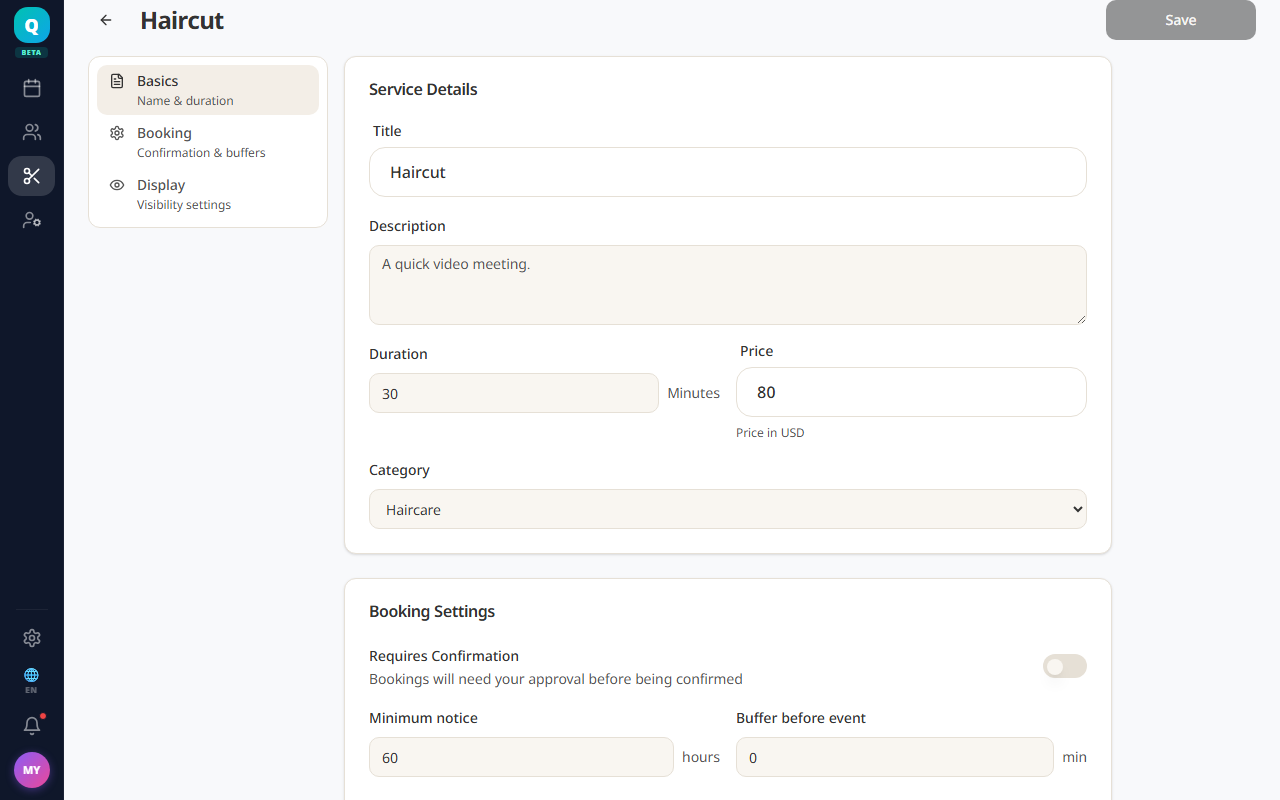
- 1Go to Services.
- 2Open a service to edit it (or create a new one).
- 3Find the Category field.
- 4Type a new category name or select an existing one.
- 5Save the service.
💡
Example categories for a hair salon: Cuts, Color, Treatments, Styling.
Was this article helpful?
Still need help?
support@sagarnu.co