🚀Getting Started
Adding your first service
Create a service with a name, duration, and price.
By Sagarnu Team
Services are what clients book. Each service has a name, duration, price and category.
Creating a service
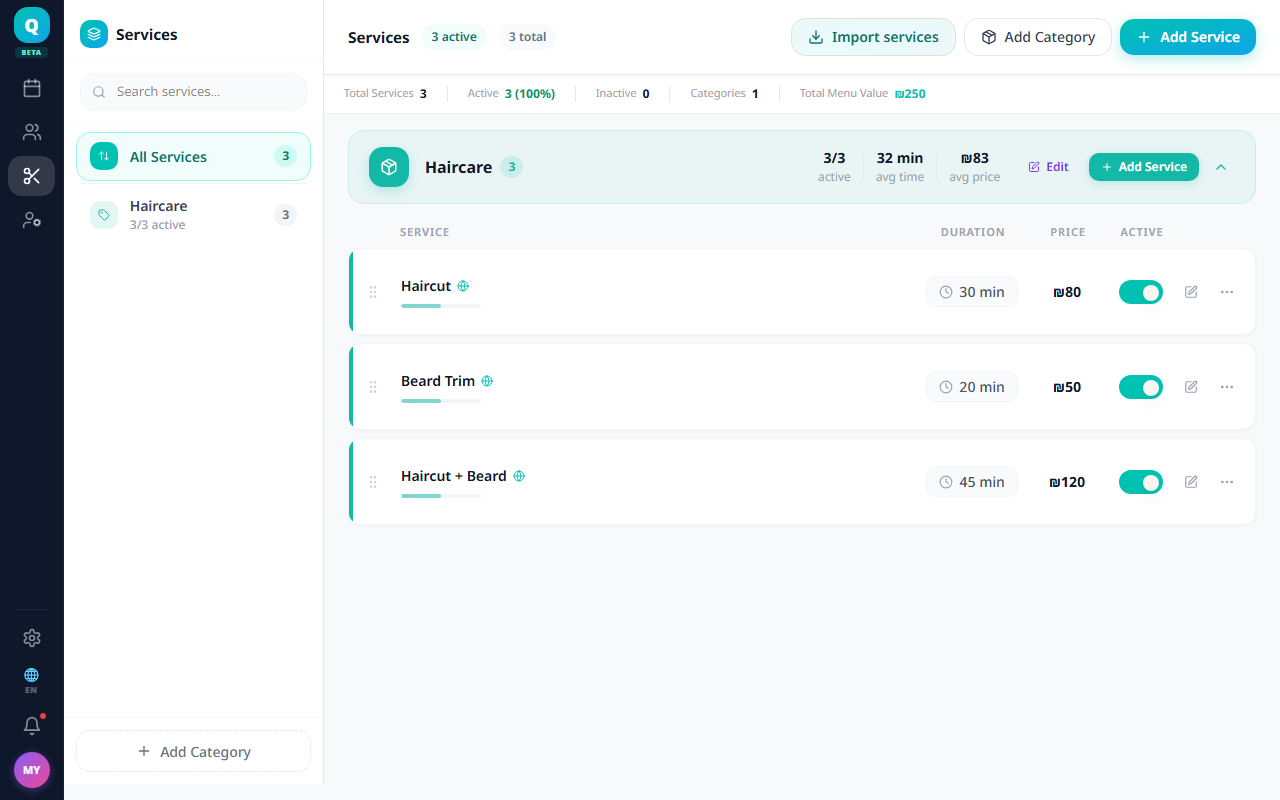
- 1Go to Services from the main menu.
- 2Click Add Service (or the + button).
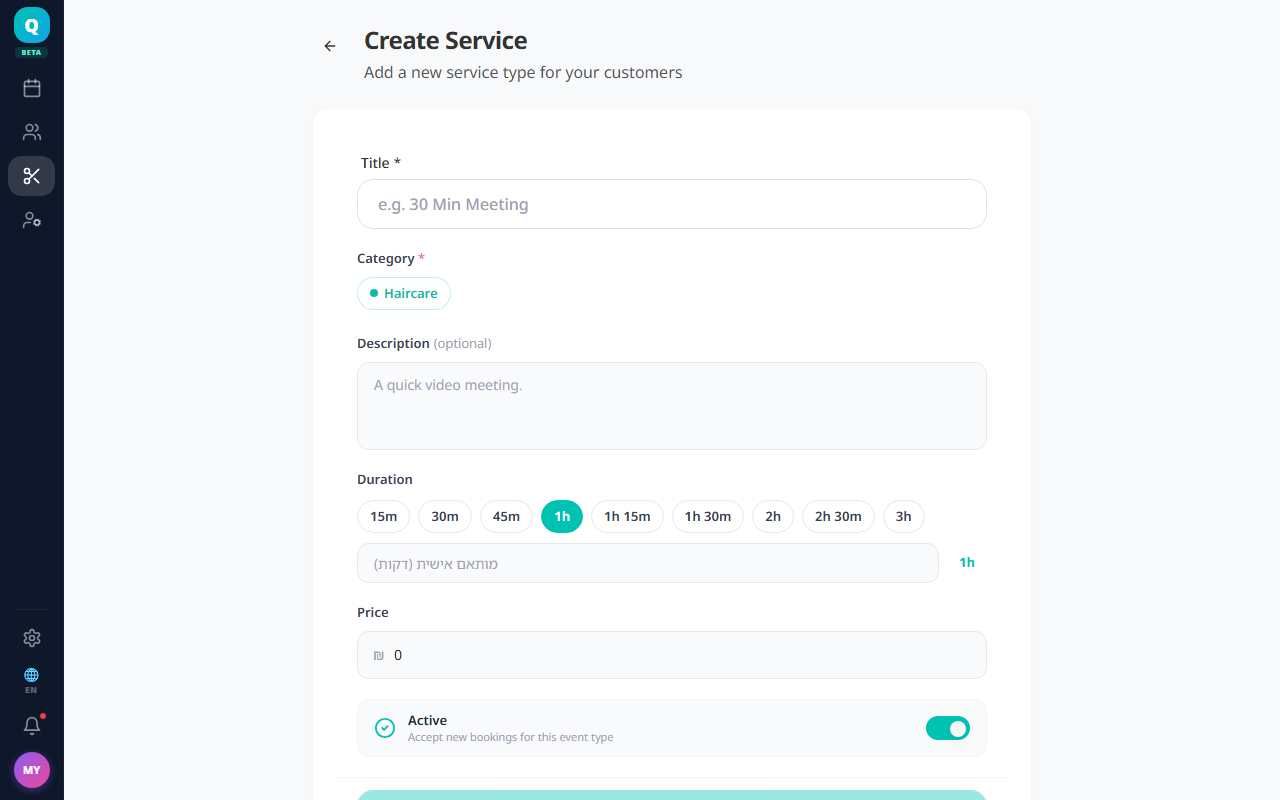
- 3Enter the service name, e.g. "Haircut & Blow Dry".
- 4Set the duration in minutes.
- 5Set a price. If you leave it blank, the service is saved as free (you'll be asked to confirm).
- 6Choose an existing category or create a new one — a category is required.
- 7Click Save.
💡
You can assign the service to specific staff members so clients only see availability for staff who actually perform that service.
Was this article helpful?
Still need help?
support@sagarnu.co