📅Calendar & Bookings
Using the calendar
Switch between day and week views, filter by staff.
By Sagarnu Team
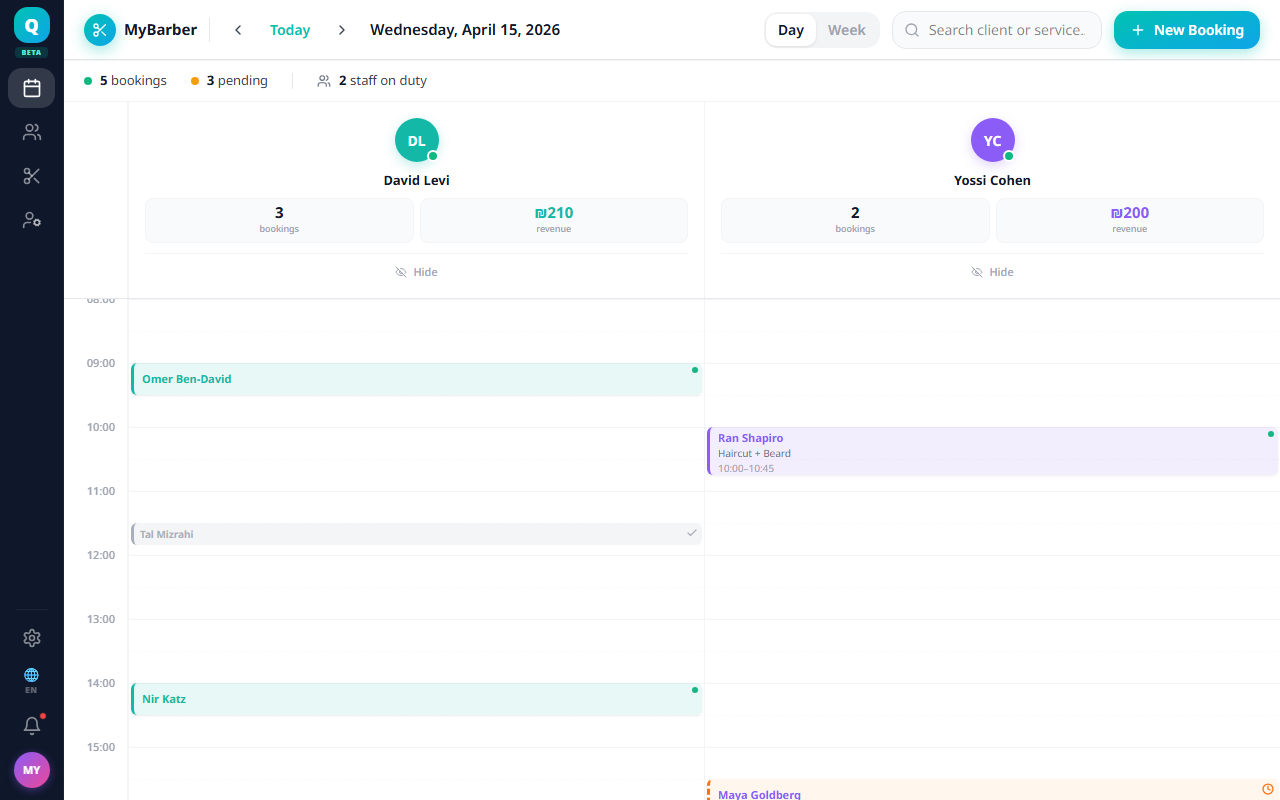
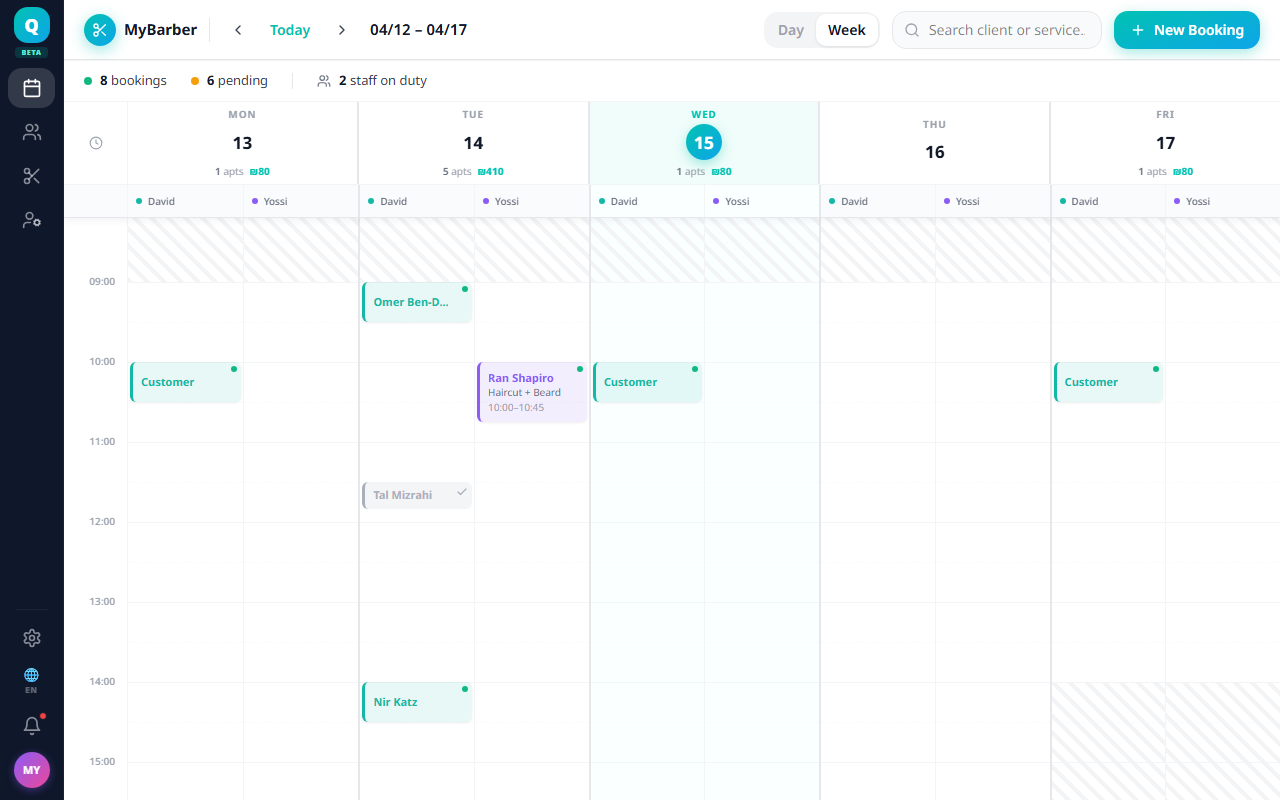
The calendar is your central view for managing appointments. You can switch between Day and Week views, and filter by staff member.
Views
- Day view — shows all staff columns side by side for a single day.
- Week view — shows the full week, useful for spotting gaps and busy periods.
💡
Click any appointment to open its detail panel where you can edit, reschedule, or change its status.
Was this article helpful?
Still need help?
support@sagarnu.co