How automated reminders work
What messages clients receive and when.
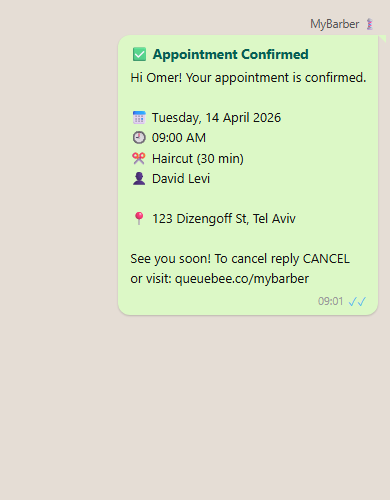
For individual appointments, Sagarnu sends clients automatic messages at key moments — when the matching message is on in Settings → Notifications (all are on by default). Messages are sent through Sagarnu, not from the business's own number, and the business name appears in the message.
- Booking confirmation — sent as soon as an appointment is booked.
- Reminder — at the reminder times set in Settings → Notifications. A reminder is scheduled only if its time has not already passed when the appointment is booked.
- Cancellation notice — sent when an appointment is cancelled.
- Reschedule notice — sent when an appointment is moved to a new time (controlled by the "Booking confirmation" option).
Fallback reminder
If no active reminder time is still ahead of the appointment — because none are set, all are turned off, or all have already passed — one reminder is scheduled about two hours before the appointment. If that time has also passed, no reminder is sent.
Quiet hours
If quiet hours are on, a reminder for a new booking that falls inside them is moved to when they end — so it may go out later than planned, or not at all if the move reaches the appointment time. Booking confirmations and reschedule notices are not delayed.
When a message is not sent
- An appointment entered after its time has passed gets no confirmation or reminder.
- When the account is suspended or cancelled, or has reached its sending cap (by default, the plan's message allowance; with a custom cap, that cap).
- Group classes have no automatic messages at the moment.
Channels and settings

Each message is sent on the channels turned on for it in Settings → Notifications — WhatsApp first, and if the WhatsApp send fails and SMS is on, the system tries SMS. Reminder times and quiet hours are set there too.
Messages count toward your plan's message allowance. Check Settings → Subscription to see your current usage.
Still need help?
support@sagarnu.co