🚀Getting Started
Setting up your business profile
Add your business name, address, and contact details.
By Sagarnu Team
Your business profile is the first thing clients see when they visit your booking page. Keeping it complete and accurate helps build trust.
How to update your profile
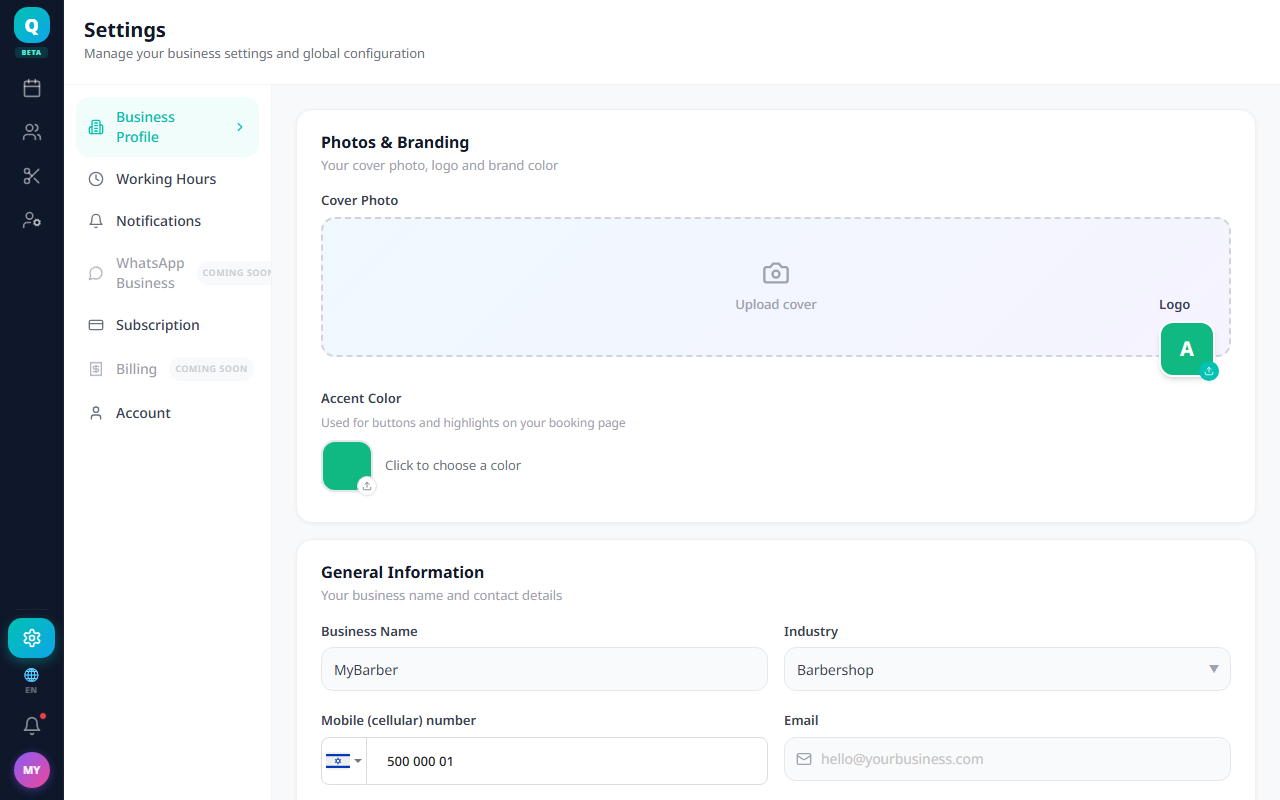
- 1Go to Settings → Business Profile.
- 2Enter your business name, address, and a short description.
- 3Add your WhatsApp number and Instagram handle if you have them.
- 4Upload your logo or a profile photo.
- 5Click Save.
💡
A complete profile with a photo gets significantly more bookings than one without.
Was this article helpful?
Still need help?
support@sagarnu.co