🚀Getting Started
Adding team members
Invite staff and assign them services.
By Sagarnu Team
Each staff member gets their own calendar and can be assigned specific services. Clients can choose who they want to book with.
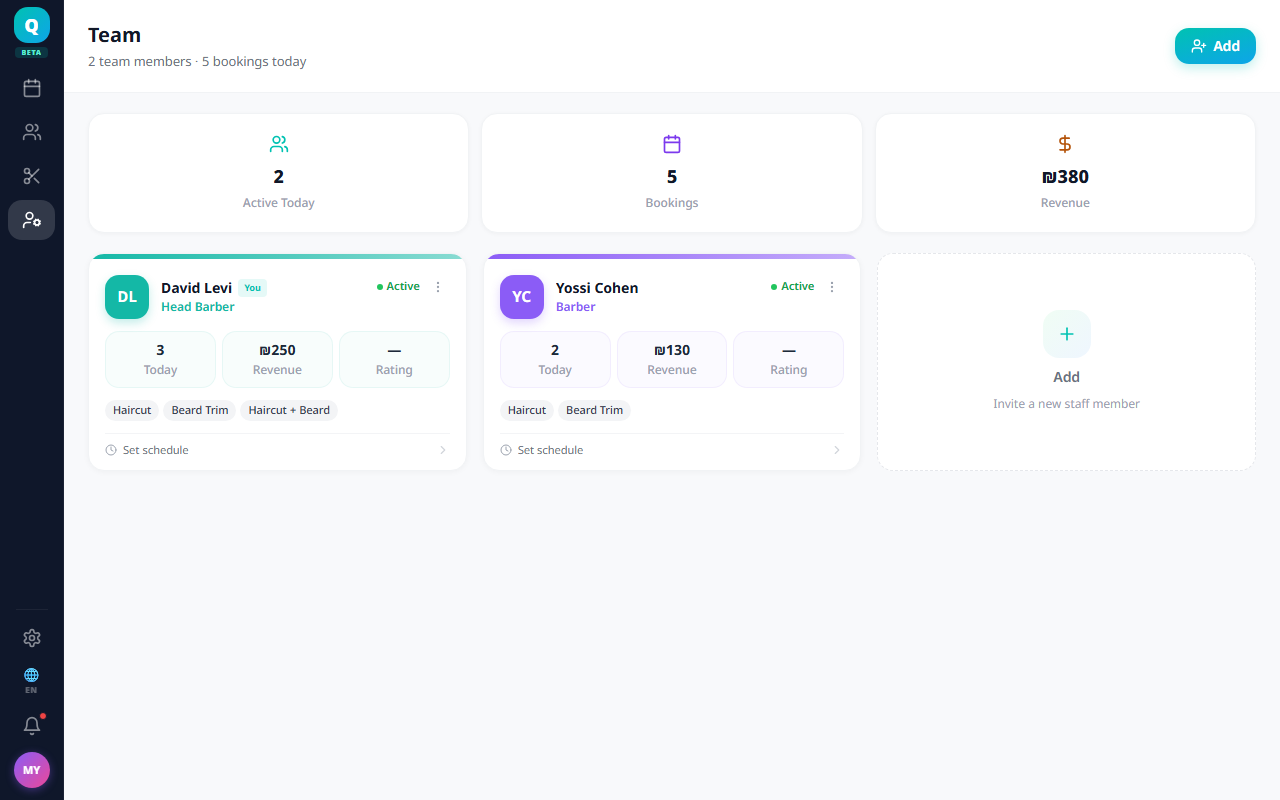
Adding a staff member
- 1Go to Team from the main menu.
- 2Click Add Member.
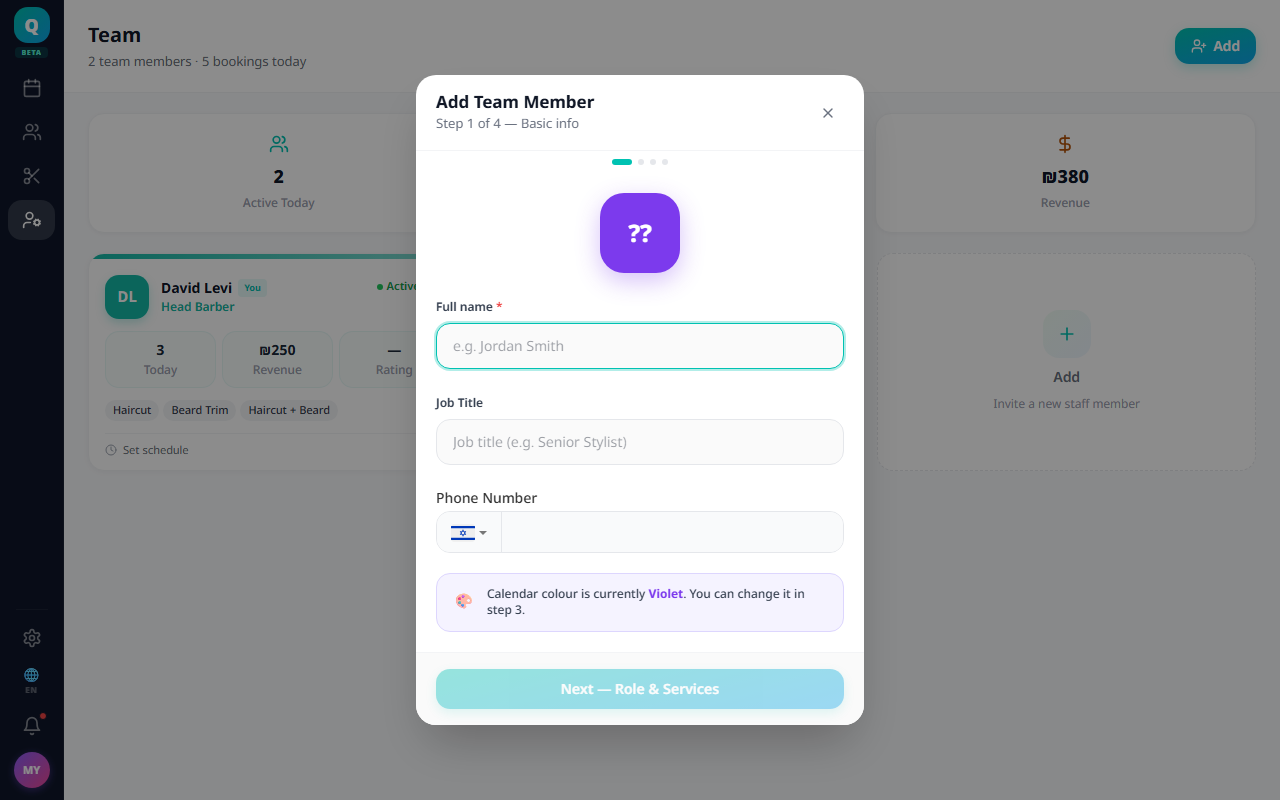
- 3Enter their name, phone number, and job title.
- 4Choose a role: Staff (sees own schedule only) or Admin (full access).
- 5Assign the services they perform.
- 6Set their working hours if different from the business defaults.
- 7Click Save.
💡
As Owner, you automatically appear in the team. You can update your own profile from the Team page.
Was this article helpful?
Still need help?
support@sagarnu.co