📅Calendar & Bookings
Creating a booking manually
Book an appointment on behalf of a client.
By Sagarnu Team
You can create bookings directly from the calendar — useful when a client calls in or walks in.
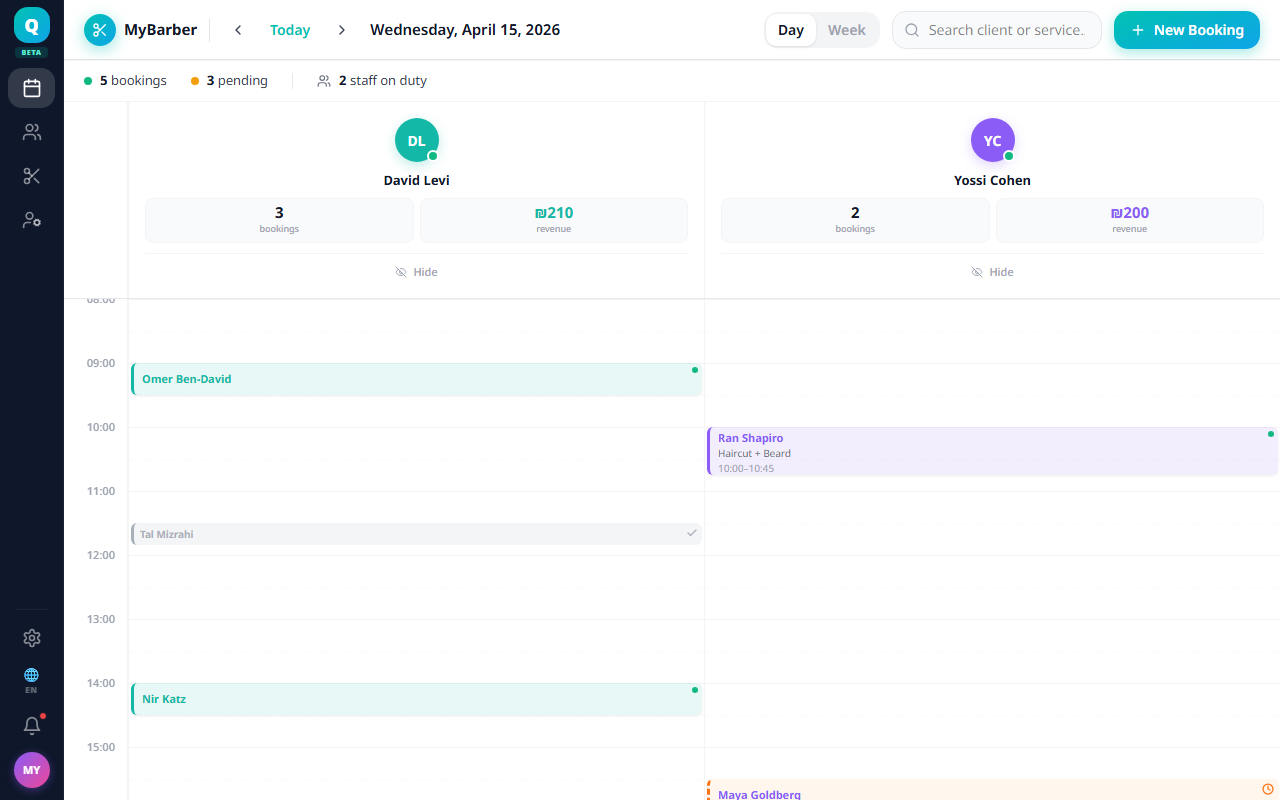
- 1Click "Create" in the calendar toolbar, or click an empty time slot, and choose "New Booking".
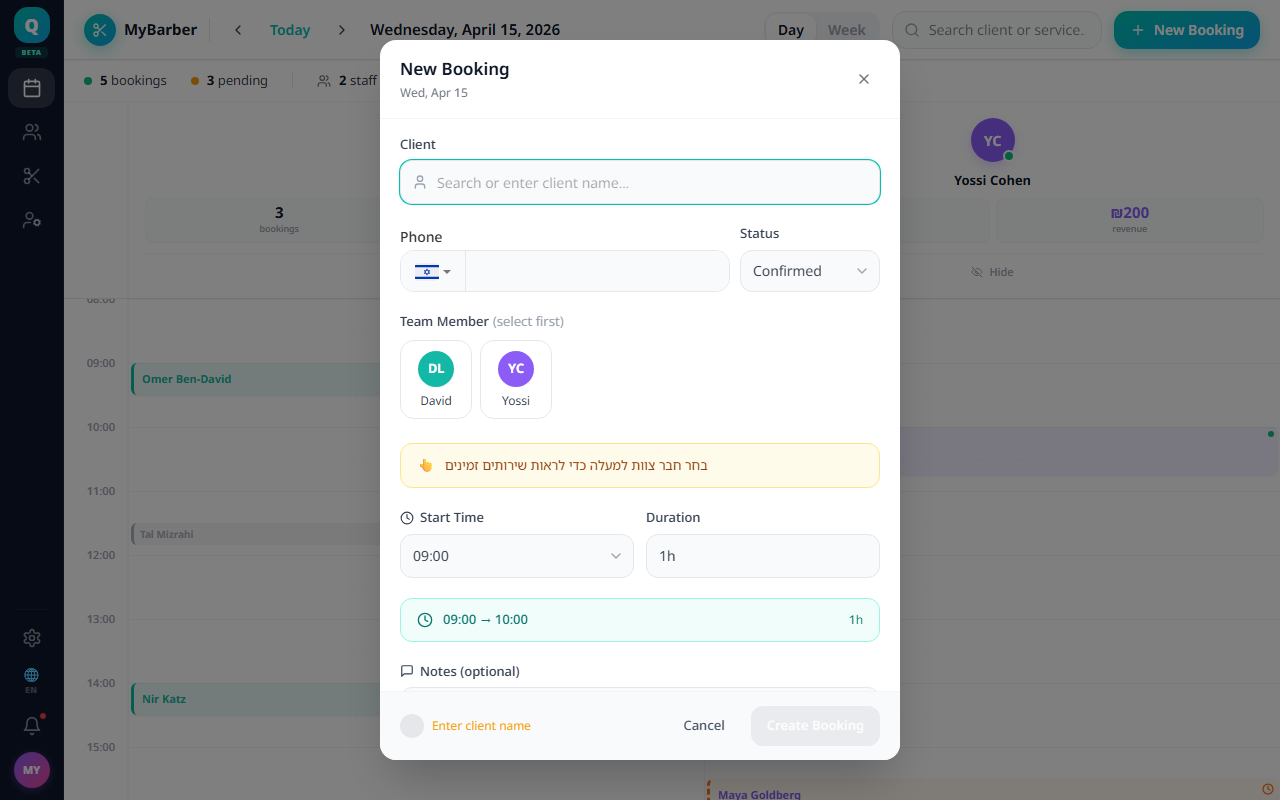
- 2Enter the client's name and phone number.
- 3Select the service.
- 4Select the staff member — only those who perform the service are shown.
- 5Choose the date and time.
- 6Add any notes if needed.
- 7Click "Create Booking".
When booking confirmations are on in Settings → Notifications, the client receives an automatic confirmation. No message is sent for a booking whose time has already passed.
Was this article helpful?
Still need help?
support@sagarnu.co