👤For Customers
How to book an appointment
Step-by-step guide to booking through a business link.
By Sagarnu Team
Booking takes under a minute and needs no password or app. Just open the link the business shared with you.
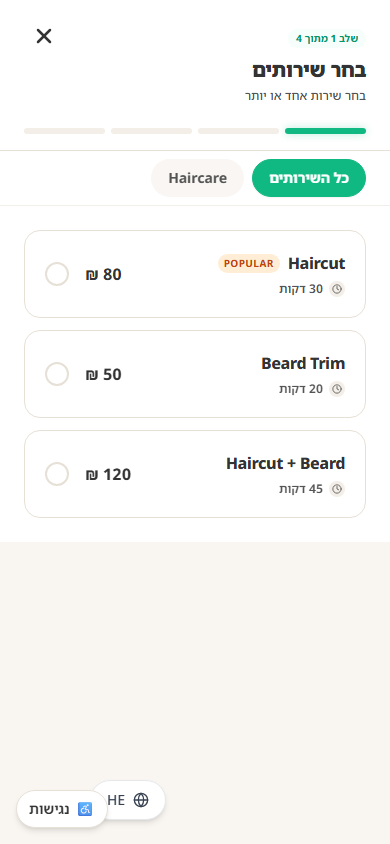
- 1Open the booking link shared by the business.
- 2Choose the service you want.
- 3Select a staff member, or choose "First Available".
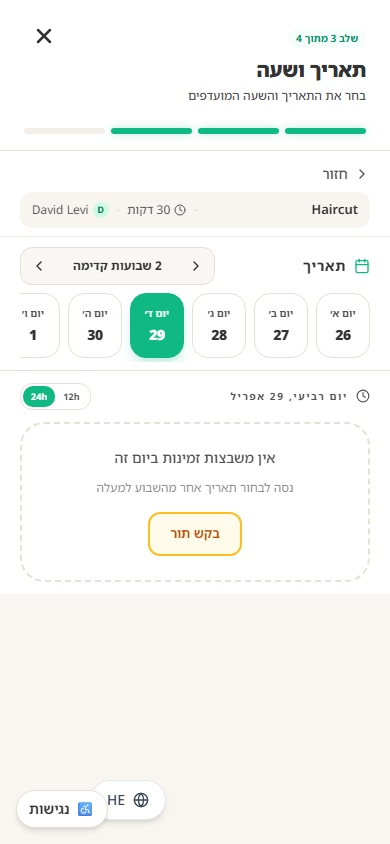
- 4Pick a date and time.
- 5Enter your name and phone number, and verify the number with the one-time code you receive (if you are not signed in yet).
- 6Confirm your booking.
Was this article helpful?
Still need help?
support@sagarnu.co